Why I Built Clarevis: Keeping Clients and Teams in Sync
I'm a solo founder, and for the last six months, I've been completely immersed in building Clarevis. It wasn't just about creating another project management tool; it was about solving a deep, persistent pain I experienced firsthand as a consultant and developer. The core mission was simple: to end the chaos of client-facing work.
This journey started from a place of frustration. I saw brilliant teams delivering high-value work, only to have their professionalism undermined by messy communication. I knew there had to be a more civilized way to collaborate, and that's why I built Clarevis.
The Problem: A System Built for Chaos
If you work with clients, this probably sounds familiar. Your internal team lives in a fast-paced Slack or Discord, sharing memes, internal jokes, and half-finished thoughts. It's efficient for you, but it's a terrifyingly unprofessional firehose to expose a client to. So, you create a shared channel, and suddenly your team is walking on eggshells, filtering every message.
The tool sprawl is another killer. Your team uses Asana for tasks, Figma for designs, Google Drive for files, Slack for chat, and email for official communication. That's at least five different places a client has to check for updates. Important feedback gets lost, the wrong file version gets approved, and everyone wastes time just trying to find the single source of truth.
I tried bringing clients into existing PM tools, but they were often too complex. Non-technical clients don't want to learn a new system with a dozen features they'll never use. They just want to know what's going on, approve work, and share files. The complexity created more friction than it solved.
The Solution: Clarity by Design
Clarevis was built from the ground up to address these specific problems with a few core, non-negotiable features:
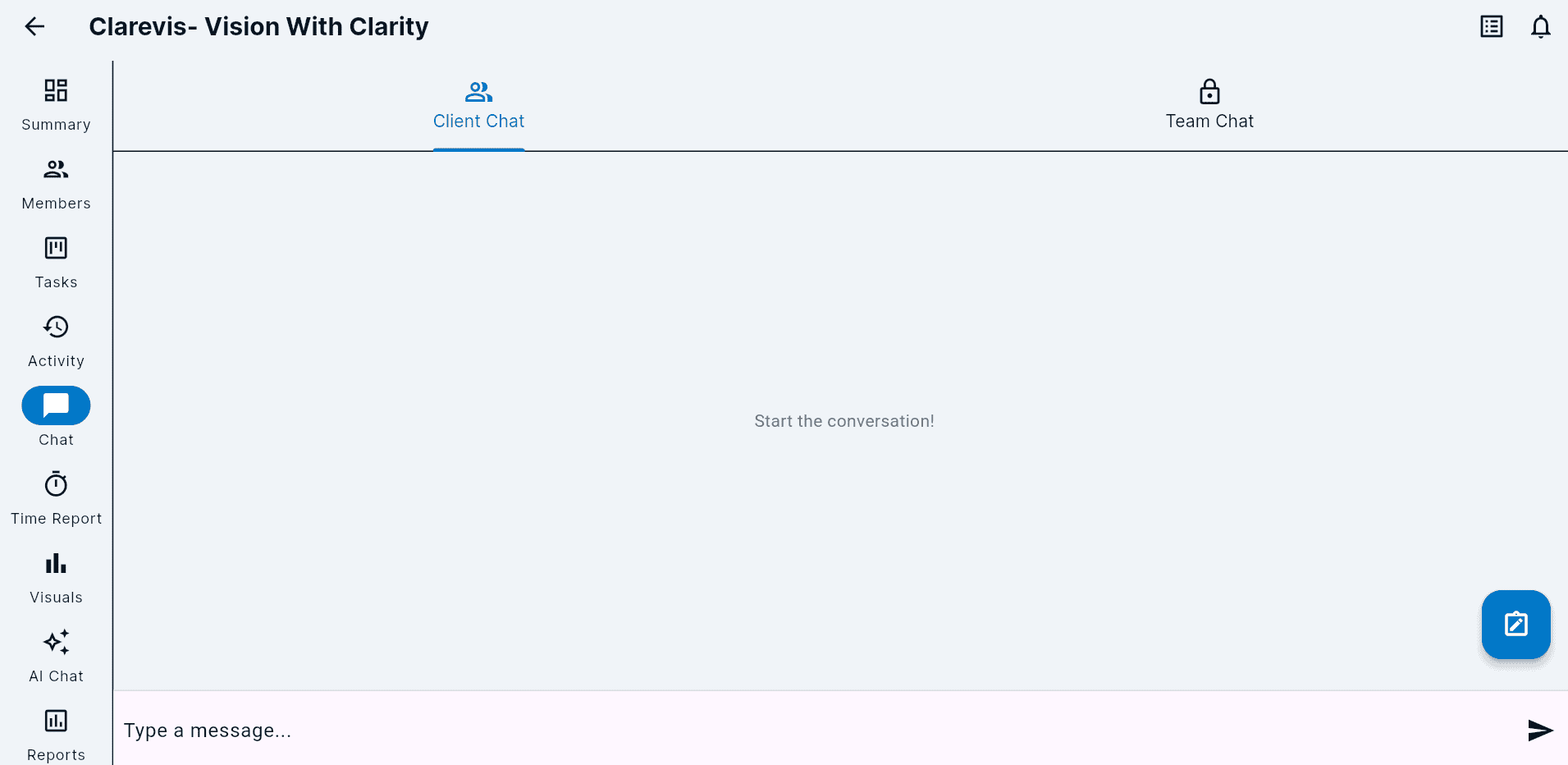
- ✨ Separate Client and Team Chat (An Industry First): In every project, there are two chat channels. "Team Chat" is for your internal, unfiltered conversations. "Client Chat" is a clean, professional space for you and your client. No more context-switching or accidental slips.
- ⏱️ Built-in Time Tracking: Stop paying for a separate Toggl or Harvest subscription. Log billable hours directly on tasks, so you always know where time is going and can generate accurate invoices.
- 🤖 An AI Chatbot That Knows Your Projects: Need to know the status of a task or find a specific file? Just ask the AI assistant. It has the full context of your project and can provide instant answers, saving you from digging through threads and folders.
- 🔗 GitHub & Figma Integrations Built-in: Link tasks directly to GitHub issues or Figma designs. Keep your technical and design workflows seamlessly connected to your project management hub.
How It Works: Clarity at Every Level
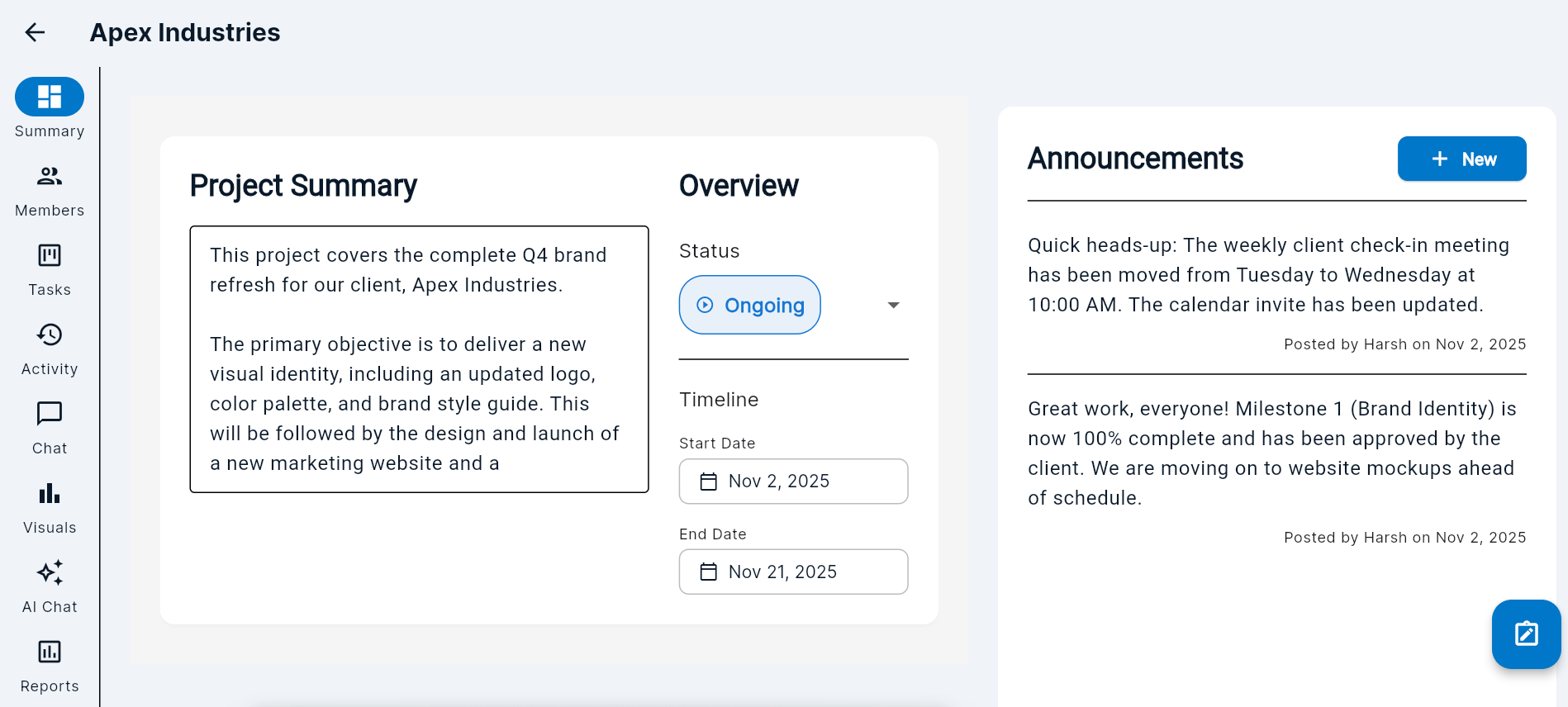
Clarevis is designed to provide clarity from a high-level overview down to the smallest conversation. It starts with a project summary that gives everyone a single source of truth for what’s happening.
The real magic, however, is in how Clarevis handles communication. The dual-channel chat is a simple but revolutionary feature. With a single click, you can toggle between a private "Team Chat" for internal discussions and a shared "Client Chat" for professional, client-facing updates. This eliminates context-switching and the risk of sending the wrong message to the wrong audience.
What's Next?
We're launching this week, and I couldn't be more excited to share it with you. Clarevis is more than just a tool; it's a philosophy for how client work should be managed—with clarity, security, and professionalism.
You can try it for free and create your first project in under a minute. I'm eager to hear your feedback and see how it transforms your workflow.
Try Clarevis for Free